Microsoft’s Zero Trust Assessment Tool

Microsoft’s Zero Trust Assessment Tool is a quick and easy way to see how far along you are on your Zero Trust journey.
Most IT teams believe they have a good handle on their Zero Trust maturity, until they actually measure it. Microsoft’s Zero Trust Assessment Tool gives you the real picture in under five minutes. It quickly analyses key areas such as identities, devices, apps, data, and your overall security setup, then generates a clear, visual maturity report with practical recommendations you can act on immediately.
Best of all, it’s completely free, requires no changes to your tenant, and makes the entire Zero Trust journey far more approachable for organisations of any size.
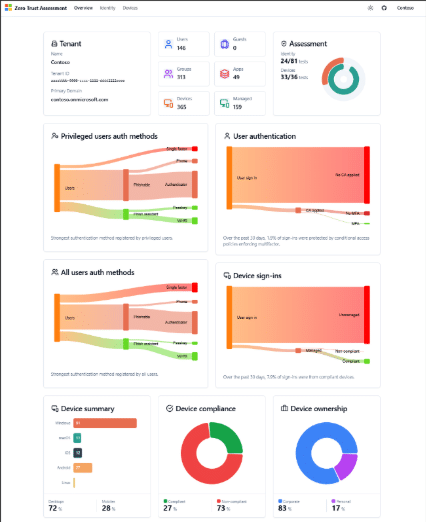
Source: Microsoft Learn Zero Trust Assessment Overview | Microsoft Learn
How to install and run the Zero Trust Assessment Tool?
Getting started is surprisingly straightforward. You run the tool entirely through PowerShell, no tenant changes, no complex setup.
Step 1: – Install the module
- Install-Module ZeroTrustAssessment -Scope CurrentUser
Step 2: – Connect to your Tenant
- Connect-ZtAssessment
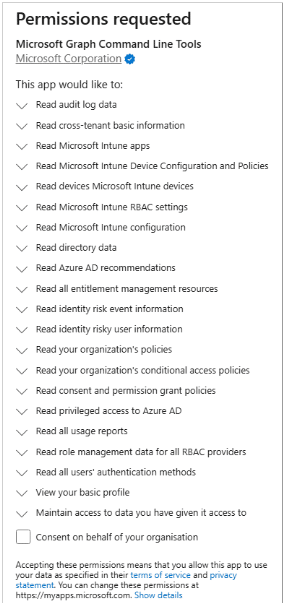
Running this will prompt you to sign in to Microsoft Graph and Microsoft Azure. You will have to consent to the following permissions the first time you run it.
Step 3: Run the assessment
- Invoke-ZtAssessment
And the assessment will begin.

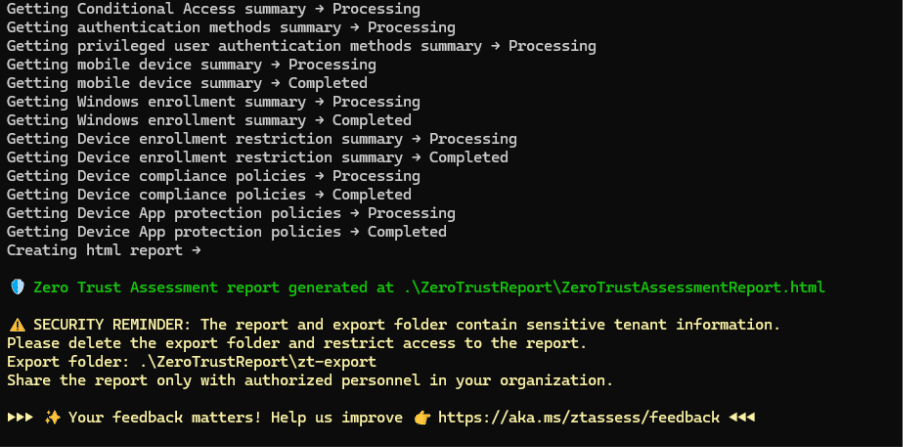
Step 4: – Review the report
When it is completed, the assessment will save a report in the working folder. This report is called .\ZeroTrustReport\ZeroTrustAssessmentReport.html and will open automatically in your default browser. Depending on your tenant size it can take a few minutes to complete the report.
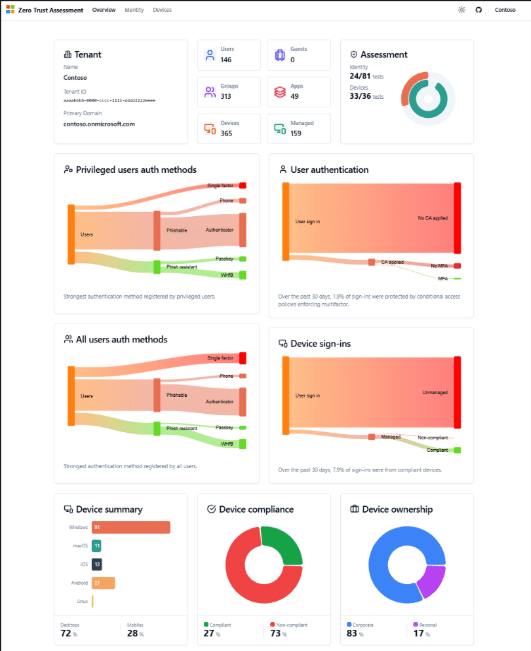
Source: Microsoft Learn Evaluate Tenant Security with the Zero Trust Assessment | Microsoft Learn
Understanding the report:
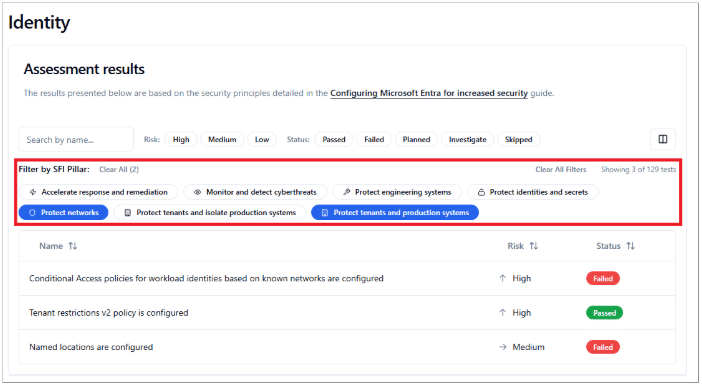
The report opens with an Overview of the result, but you can get more detailed information by selecting the Identity or Devices headings.

The Overview:
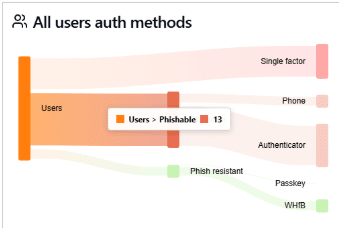
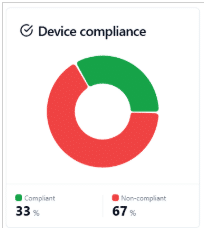
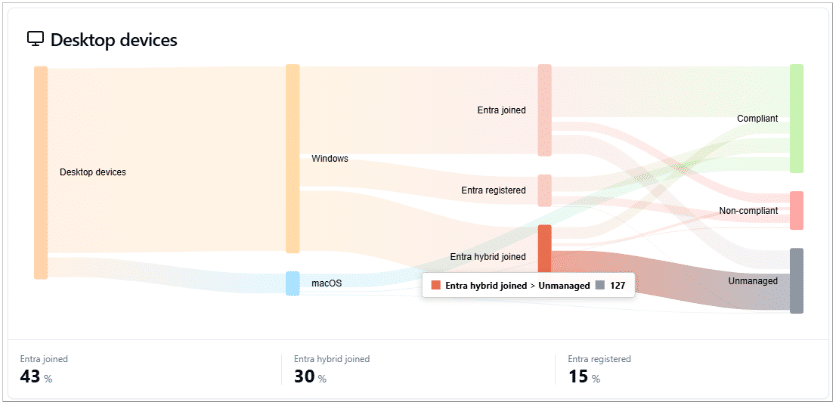
The Overview Provides visual summaries of users, devices, MFA usage, compliance, and management states.
They can help highlight areas of concern, such as the number of users using single factor or Phish-able MFA authentication methods or how many devices have fallen out of compliance.
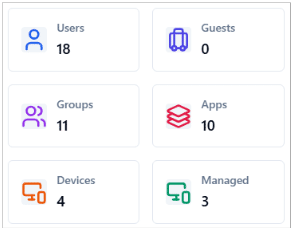
It will also show you how many devices are unmanaged which can often go under the radar and be missed by your IT Team.
Identity and Devices:
If you want more detail, the Identity and Devices tabs let you drill into each control.
You can view results based on:
- Zero Trust pillars
- Risk level
- Passed vs failed controls
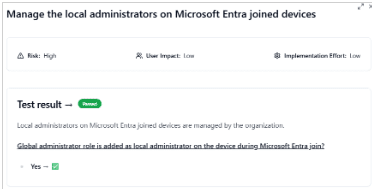
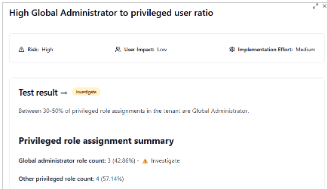
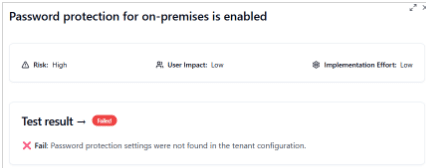
Everything is fully interactive. Clicking on a specific result shows:
- A description of the control
- The risk rating
- User or tenant impact
- Implementation effort
- Whether you’ve passed, failed, or need to investigate
This is incredibly useful for identifying quick wins or spotting red flags like an unexpected number of Global Administrators.
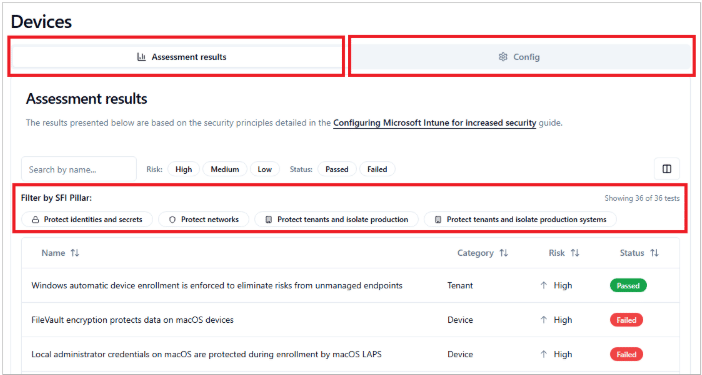
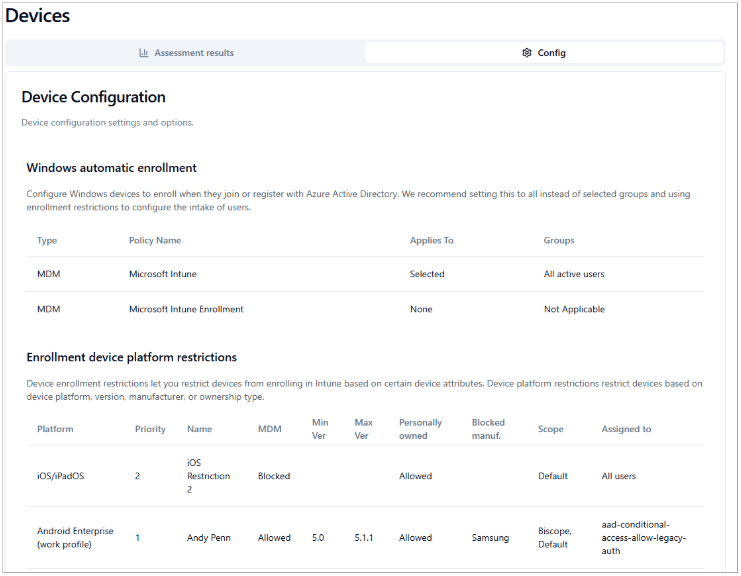
Within the Devices section, the Config tab shows you a snapshot of your current Intune setup:
- Enrollment restrictions
- Compliance policies
- App protection policies
- Platform specific controls
This makes it easy to track configuration drift over time or validate that recent changes have taken effect.
Automating the Assessment:
One of the best features of this tool is that it can be automated.
Running it on a schedule gives you continuous visibility into your tenant’s security posture, helping you track improvements and highlight regressions.
It’s a great way to:
- Validate the impact of recent policy changes
- Demonstrate progress to leadership
- Focus your IT team or MSP on specific Zero Trust pillars
- Build consistent security hygiene into your operations
For more information on the tool: https://microsoft.github.io/zerotrustassessment/docs/intro
For a demo of what the report looks like: https://aka.ms/zerotrust/demo
Take advantage of the tool
The Zero Trust Assessment Tool isn’t just another Microsoft utility, it’s one of the fastest, simplest ways to get a clear reality check on your tenant’s security health. And because it’s free, fast, and nonintrusive, it’s accessible to organisations of all sizes.
If you haven’t run it yet, now is a great time to start.
Our team of Microsoft experts are on hand to support you on your Zero Trust journey, you can schedule a call by contacting them at asktheexpert@enterprise-solutions.ie

An experienced Senior Microsoft 365 engineer, specializing in cloud services such as Intune, Entra/Azure as well Microsoft’s Security products. Cormac has years of experience protecting companies against Data breach’s or dealing with the aftermath and can help your company protect its data from attacks from both outside or within.


An experienced Senior Microsoft 365 engineer, specializing in cloud services such as Intune, Entra/Azure as well Microsoft's Security products. Cormac has years of experience protecting companies against Data breach's or dealing with the aftermath and can help your company protect its data from attacks from both outside or within.