Maester: Continuous Security Testing for M365

I recently wrote a blog about the Microsoft Free Security Assessment tool, testing this tool prompted me to also try another free Security assessment tool, Maester. The tool, is an open source security testing tool created by several experts such as Merill Fernando, Faben Bader and Thomas Naunheim and more.
Similar to the security assessment tool, Maester is a PowerShell based tool which run’s several tests against your Microsoft Security Configuration. It shows your tenant’s current security posture giving you a detailed clickable report that you can use to strengthen your tenant’s security.
To get started with Maester, installation is straightforward and the team at Maester provide a detailed installation guide: Installation guide
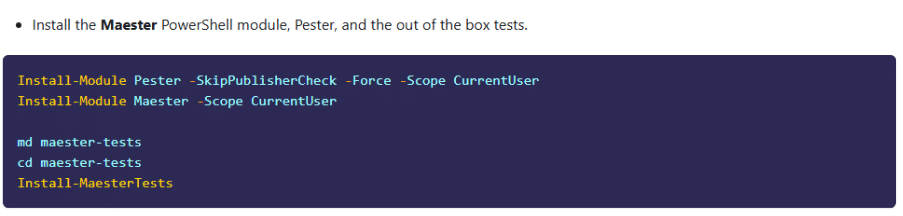
Installation only takes a few minutes, and you are ready to run your first tests. You do this by connecting to Maester by running the Connect-Maester command and signing into your tenant.

If this is your first time signing in, you will be prompted to approve several Microsoft graph permissions see below:
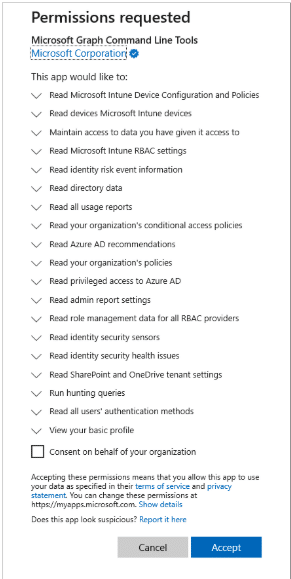
You first run the “Out of Box” tests by using the command Invoke-Maester. Now sit back and enjoy the arcade-style heading while the tests run!

Sample tests running below:


When finished you will get a HTML report similar to Microsoft’s security assessment tool. However with Maester you can convert these results to CSV or Excel, which is very handy if you want to analyse or compare these in a separate program or between test cycles.
The report give’s you a quick overview of the status of your tenant, for example my test tenant below. The results are also classified by severity, so if you are a small team or lone admin you can filter to focus on the most severe at first.

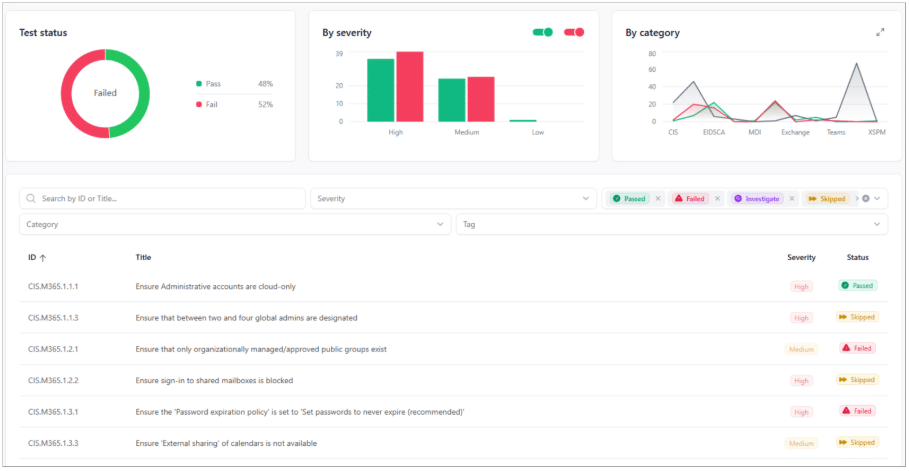
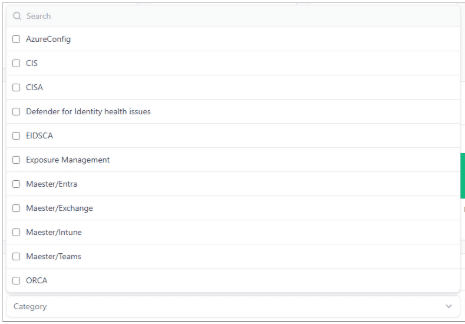
Or you can filter by the category so you can focus on a particular product, such as Intune or Exchange
Each test result is expandable to give you more information about the issue and how it can be resolved.
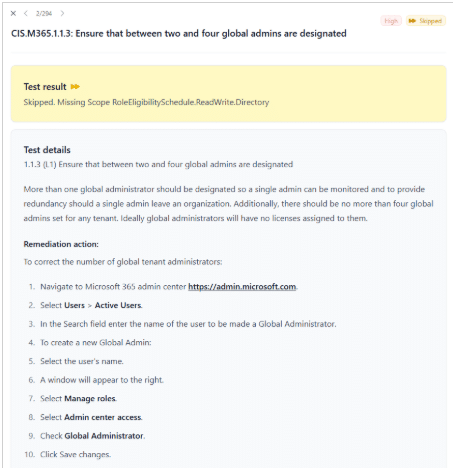
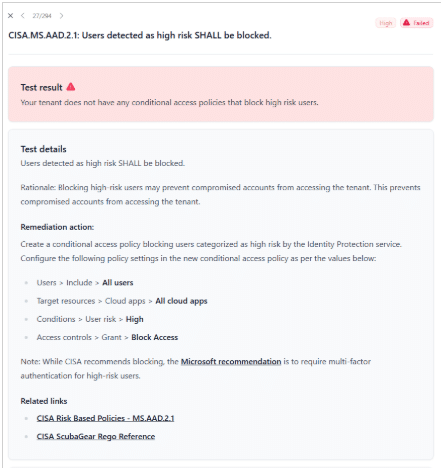
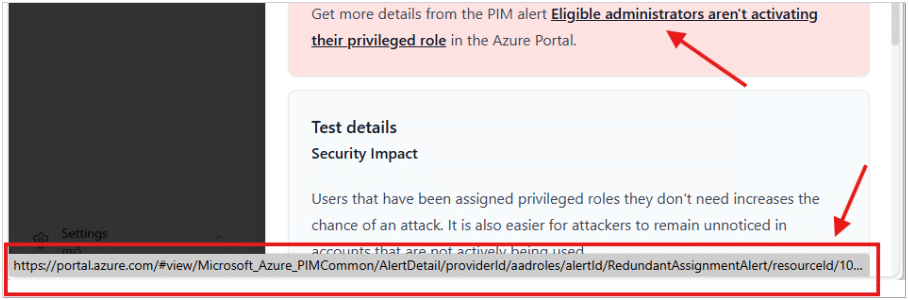
In some cases, I was able to click on the reason I failed and go straight to the location in my Tenant to resolve it.
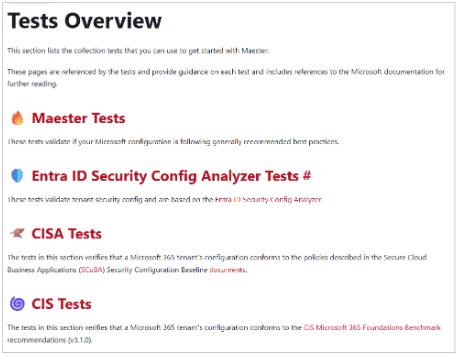
However, what makes Maester tool different to the Microsoft security assessment tool is the volume of tests available. There is a whole section on the Maester site listing the tests available, you can choose a number of tests specific to a particular policy or Benchmark.
Monitoring and Alerts:
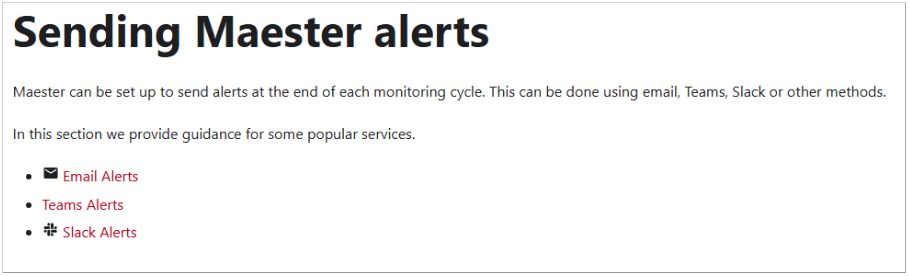
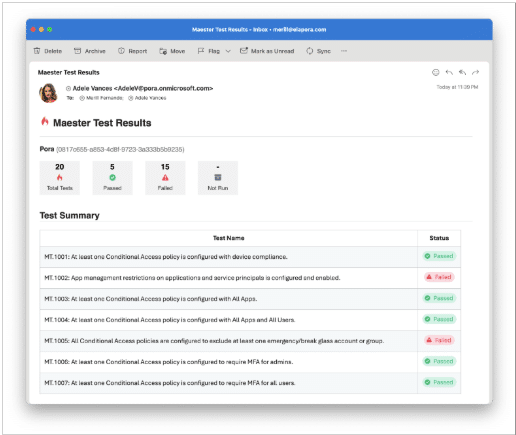
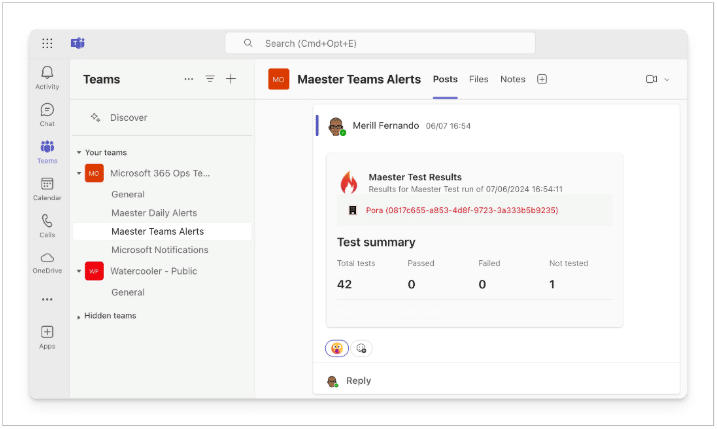
Similar to Microsoft Security Assessment tool, you can automate it to be run at regular intervals. However, Maester goes an extra step with build in alerting (see below)
Summary:
What I found testing Maester is that unlike Microsoft Security Assessment tool, which provides a fixed, high-level view aligned primarily to Microsoft Secure Score, Maester offers hundreds of granular tests mapped to well-known security frameworks such as CIS Microsoft 365 Foundations, CISA Secure Cloud Business Applications (SCuBA), and Entra ID Security Config Analyzer benchmarks.
Maester is more comprehensive and is designed for continuous security validation, allowing you to run targeted tests, automate assessments, export results, and receive built-in alerts when configurations drift. It gives you more information about how to resolve any issue it finds.
So which one do I choose?
I don’t think you can go wrong with either one, you are monitoring the Security of your M365 Tenant which is the most important thing. They are both quick to setup and give you a good comprehensive report to provide your Team. However, Maester offers more, it gives you the ability to write your own tests and to quote the Maester website allows you to:
“Apply modern DevSecOps practices and continuously monitor critical aspects of your Microsoft cloud.”
“Identity is the new control plane! Create iron-clad tests to ensure your tenant’s posture is always secure as your access policies evolve.”
What do I do now?
Install Measter and run your first tests, find the low hanging fruit, fix them and then schedule a time to run it again, be it manually or via automation, so that you can continuously review your security posture going forward.
Enterprise Solutions team of Microsoft experts are on hand to support you on your Zero Trust journey, you can schedule a call by contacting them at asktheexpert@enterprise-solutions.ie
Reference:
- https://maester.dev/docs/tests/
- Sending Maester alerts | Maester
- https://maester.dev/docs/installation
- https://enterprise-solutions.ie/microsofts-zero-trust-assessment/
- https://enterprise-solutions.ie/solutions/consultancy/

An experienced Senior Microsoft 365 engineer, specializing in cloud services such as Intune, Entra/Azure as well Microsoft’s Security products. Cormac has years of experience protecting companies against Data breach’s or dealing with the aftermath and can help your company protect its data from attacks from both outside or within.


An experienced Senior Microsoft 365 engineer, specializing in cloud services such as Intune, Entra/Azure as well Microsoft's Security products. Cormac has years of experience protecting companies against Data breach's or dealing with the aftermath and can help your company protect its data from attacks from both outside or within.