ControlUp for Desktops – Real-time Monitoring for Physical, Virtual and Cloud Devices

When IT professionals think about ControlUp, it is often associated with Citrix environments and virtual desktop infrastructure (VDI). And for good reason. ControlUp is widely recognised for delivering real-time monitoring, deep visibility and rapid troubleshooting in complex virtual desktop environments. IT administrators can quickly identify performance bottlenecks, analyse root causes and resolve issues before users are impacted, helping to maintain a high-quality digital employee experience across Citrix and VDI deployments.
However, ControlUp’s capabilities extend far beyond Citrix and VDI. ControlUp for Desktops applies the same monitoring and automation power to physical desktops, laptops, and cloud-based devices, making it a strong alternative to traditional Remote Monitoring and Management (RMM) tools. Unlike traditional RMM solutions that primarily focus on device management, patching, and inventory, ControlUp emphasises real-time user experience and endpoint performance, whether the device is physical, virtual, or cloud-based. This approach ensures IT teams can maintain consistent performance and a superior user experience across all devices in the organisation.
Beyond Virtual Desktops: A Real-Time Experience Platform
ControlUp for Desktops provides IT teams with instant insight into every device, whether it is a physical Windows laptop, a macOS desktop, a Linux workstation, a ChromeOS device, a cloud PC, or a VDI session. This platform allows IT teams to quickly understand issues such as:
- Why a user’s Wi-Fi is slow while working remotely on a physical laptop.
- Why an Office 365 application is crashing on a cloud-based machine.
- Why a VDI session is lagging or experiencing delays.
- Why Microsoft Teams or Zoom calls are performing poorly on any device.
By combining real-time monitoring with AI-powered analytics, ControlUp identifies root causes and can automatically resolve issues through no-code automation, often before the user even notices a problem. The platform treats physical, virtual, and cloud endpoints as equal first-class citizens, giving IT teams one consistent way to monitor and troubleshoot their entire environment.
Real-Time Monitoring Across All Devices
ControlUp delivers full visibility across modern endpoints, including:
- Windows desktops and laptops.
- macOS computers.
- Linux workstations.
- ChromeOS devices.
- Cloud PCs, including Windows 365 and Office 365 machines.
- Virtual desktops and Citrix VDI environments.
IT teams can monitor a wide range of performance metrics on every device type:
- CPU and memory usage.
- Network performance and latency.
- Wi-Fi signal strength.
- Application crashes and errors.
- Blue screen events.
- Endpoint connectivity.
Because this data is collected in real time, administrators gain immediate insight into both physical and virtual device performance, enabling them to resolve issues quickly and maintain productivity across all device types.
Powerful Remote Troubleshooting
One of ControlUp for Desktops’ most valuable capabilities is its live remote management tools, which allow IT teams to investigate and resolve problems across all devices, whether physical, virtual, or cloud-based.
Administrators can:
- Securely access remote devices, including laptops, desktops, and cloud PCs.
- Shadow user sessions to observe exactly what users experience.
- Troubleshoot applications and operating system behaviours live.
- Analyse detailed event logs.
- Remediate issues without interrupting the end user.
This functionality reduces Mean Time to Resolution (MTTR) dramatically and minimises downtime for both physical and virtual endpoints, ensuring a seamless experience for employees regardless of the device they use.
Automated Issue Resolution
ControlUp’s automation framework ensures that problems are addressed proactively across every type of endpoint. Administrators can:
- Configure custom alerts for performance thresholds.
- Link alerts to automated remediation scripts.
- Leverage community-provided scripts or create custom scripts for unique environments.
Whether the issue occurs on a physical laptop, a VDI session, or a cloud PC, ControlUp can automatically trigger remediation actions. For instance:
- High CPU usage → restart services.
- Application crash → clear cache or restart the application.
- Network performance issues → reset network configurations.
- Service failures → restart stopped services.
This proactive automation ensures that many issues are resolved before users even notice, reducing reliance on helpdesk support and maintaining consistent productivity across all devices.
Full Device Visibility and Asset Inventory
ControlUp also provides a complete inventory of all devices, regardless of type or operating system. IT teams can track:
- Hardware configuration.
- Installed software.
- Device health and status.
- Operating system details.
- Network conditions.
- Device location in real time.
This comprehensive visibility allows IT teams to manage physical desktops, laptops, cloud PCs, and virtual desktops from a single platform, reducing complexity and improving operational efficiency.
Easy Deployment
Deploying ControlUp for Desktops across both physical and virtual devices is straightforward:
- Install the ControlUp agent on physical devices, laptops, cloud PCs, or virtual desktops.
- Deployment can be manual or automated using tools such as Microsoft Intune.
- Begin monitoring instantly, with performance metrics collected within minutes.
- Set up alerts for key performance indicators such as CPU, memory, network, and service health.
- Automate remediation, linking alerts to scripts that resolve issues automatically.
This easy deployment model enables organisations to scale monitoring across all endpoints quickly and effectively, whether they are physical, virtual, or cloud-based.
Proactive Endpoint Optimisation
ControlUp for Desktops goes beyond fixing problems; it helps prevent them. The platform provides proactive monitoring and optimisation capabilities such as:
- Synthetic testing to simulate real-world scenarios across all device types.
- Performance trend analysis to identify potential issues before they impact users.
- Automated optimisation rules to improve efficiency and reduce resource waste.
- Digital Experience Monitoring (DEX) to track and enhance end-user performance.
By maintaining consistent performance across physical desktops, laptops, cloud PCs, and virtual desktops, IT teams can reduce downtime, improve productivity, and lower operational overhead.
Better IT Efficiency and Happier Employees
When issues are detected and resolved automatically, organisations benefit across multiple dimensions:
- Fewer helpdesk tickets and reduced support costs.
- Faster issue resolution across all devices.
- Reduced downtime for physical and virtual endpoints.
- Increased employee productivity and satisfaction.
- Improved digital employee experience.
By enabling proactive IT operations, ControlUp allows organisations to move closer to Autonomous Endpoint Management (AEM), where IT teams can focus on strategic initiatives rather than reactive troubleshooting.
Control Every Endpoint with Confidence
From home offices to corporate headquarters, ControlUp for desktops provides IT teams with the tools to monitor, troubleshoot, and optimise every endpoint, physical, virtual, and cloud-based. With real-time visibility, advanced analytics, and automated remediation, IT teams can stay proactive, ensure smooth workdays for employees, and minimise surprises for IT management.
ControlUp for Desktops represents a modern, comprehensive approach to endpoint management, providing organisations with a single platform to deliver reliable performance, optimise user experience, and manage hybrid IT environments with confidence.
Contact us at asktheexpert@enterprise-solutions.ie to schedule a chat or ControlUp demo with one of our End User Computing experts.
Reference Links:
- https://enterprise-solutions.ie/monitoring-saas-applications/
- https://enterprise-solutions.ie/controlup/
- https://www.controlup.com/product-tour/controlup-for-desktops-live-remote-management/
- https://www.controlup.com/product-tour/controlup-for-desktops-windows-365/
- https://www.controlup.com/product-tour/controlup-for-desktops-overview/
- https://www.controlup.com/platform/controlup-for-desktops/
- https://www.controlup.com/platform/ai-assistant/
- https://www.controlup.com/platform/automation/
- https://www.controlup.com/platform/troubleshooting-remediation/

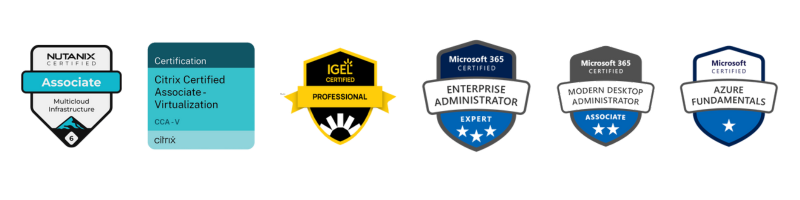
As a Senior Systems Engineer, Mindaugas is recognised by both customers and his peers as a professional that has strong knowledge of difference aspects of EUC. He specializes in Microsoft, Citrix and Nutanix technologies, as well as different endpoint solutions such as Intune and various thin client vendors.

As a Senior Systems Engineer, Mindaugas is recognised by both customers and his peers as a professional that has strong knowledge of difference aspects of EUC. He specializes in Microsoft, Citrix and Nutanix technologies, as well as different endpoint solutions such as Intune and various thin client vendors.